It finally happened — I pulled the trigger and went dual-boot Linux / Windows — but let’s be honest, I’ll only use Windows if I absolutely have to. Its best days are behind it, and it’s time to take control of my own machine.
OK…maybe not FULLY cutting the cord…let’s say coiling up the cord and putting it away in the closet.
Plus, why not? Linux is what servers are built on anyway…full control over my machine AND build skills for work? Count me in!

Debian is now officially my daily driver! But I’ve also been playing with VirtualBox and Arch Linux.
I have always been mildly curious about how PCs are put together in terms of operating systems and desktop environments, so I suppose it was always a matter of time before I messed with something like Arch Linux.

For those who don’t know, Arch Linux is a Linux distribution that always gets clickbaited in videos as “the most difficult operating system to install” … but it depends on how!
I did both — you can use the installation script, which is basically plug and play with a tiny bit of technical knowledge:
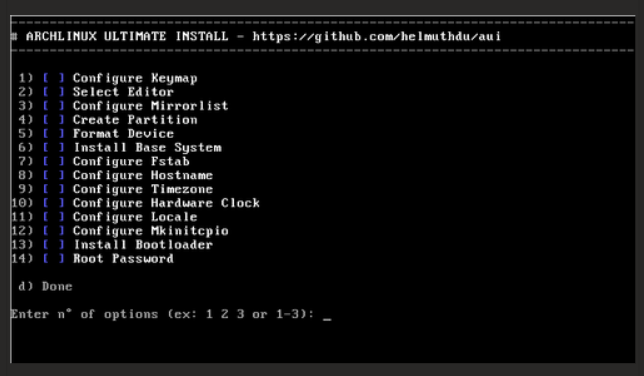
The above didn’t take very long — just a few minutes to go through these different steps and then the system installs itself!
The “real” way to do it apparently is to go through the Arch Wiki and install it yourself without a script — meaning that you manually do all the steps above.
Download + boot the system, configure the time, configure the network, connect to the internet, partition the disk, format the partitions, mount the file systems, download the packages, etc….you’re involved with basically every part of the system!

Now THAT’S what I’m talking about!!!
That was interesting! I did have to Google some things and open up a ton of tabs on the Arch Wiki, but I did learn some stuff! I had only ever manually partitioned a hard drive once before doing this.
I know networking, I know software, and I know desktop support, but up until the last few months, I’d never really done much work with hardware or operating systems at the very bottom level. It’s just not something that comes up often at work, so it’s been fun over the last couple of months to really dive into Linux, learn the terminal, learn the file system, and start to figure out how everything ties together. It was major blind spot – Linux is a necessity if you’re really trying to be in IT.
And on a personal level, I want to know exactly what’s going on with my machine…. if it’s slow, if it’s wigging out, if something’s broken….I want to know EXACTLY what’s going on and EXACTLY how to fix it. Windows and Mac have both done a lot to obfuscate how their systems are put together and how things actually work.
Cue htop hahaha
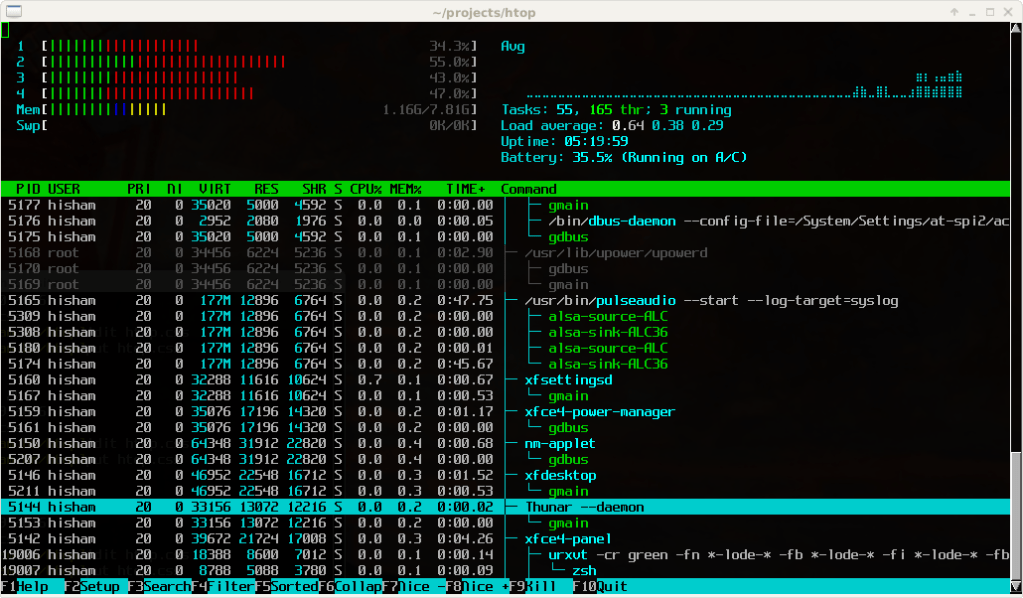
Fantastic!
Let’s keep learning!
 Home
Home 
Leave a comment